Build a Trading Strategy With Claude AI: Two Ways
Build and test a SPY strategy with Claude AI using TradingView or a guided skill. Compare backtests, stress tests, and simulated forward testing.

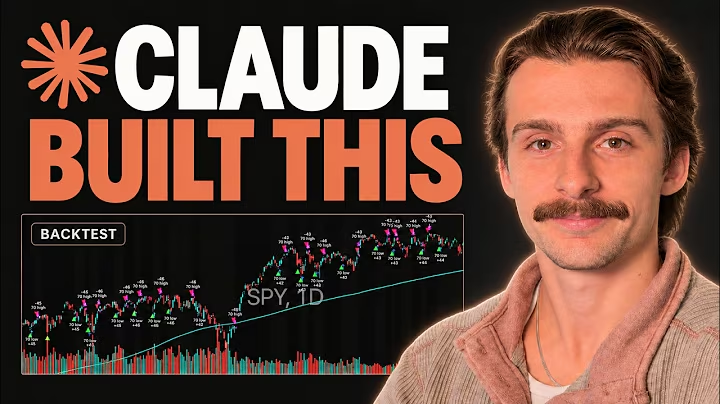
You can build a trading strategy with Claude AI by describing your rules, having Claude turn them into a testable strategy, and checking what happens before putting money behind the idea. In this walkthrough, I use the same SPY pullback concept in two workflows: Pine Script with TradingView, and a guided AI skill connected to AlphaInsider.
The useful part is the checking. My example made money in the historical backtest, yet still returned less than buying and holding SPY. A later robustness test also exposed much larger drawdowns than the original settings suggested.
Below, I’ll walk through both routes, explain the recorded results, and show how to move toward simulated forward testing. These are educational examples from my November 2026 video, not independently reproduced results or a recommendation to trade SPY.
Table of Contents
- Table of Contents
- Key Takeaways
- Prerequisites: Build a Trading Strategy With Claude AI
- The SPY Strategy and Which Route to Choose
- Route One Step-by-Step: Claude and TradingView
- Step 1: Describe the Rules and Execution Assumptions
- Step 2: Load the Strategy and Read the Backtest
- Step 3: Test Changes and Stress-Test the Trade History
- Route Two: Claude and the Strategy Creator Skill
- Step 4: Install the Skill and Build the Plan
- Step 5: Backtest and Check Nearby Settings
- Step 6: Set Up Simulated Forward Testing
- Step 7: Verify Where the Scheduled Task Runs
- Step 8: Connect the TradingView Version if You Prefer
- Checks Before You Trust Either Workflow
- Frequently Asked Questions
- Can Claude Build a Strategy Without Me Writing Code?
- Do I Need TradingView for Both Routes?
- Did the Example Beat Buying and Holding SPY?
- Does Monte Carlo Analysis Prove a Strategy Is Safe?
- Why Did the Two Backtests Produce Different Numbers?
- Does My Computer Have to Stay On?
- Does an AlphaInsider Strategy Trade My Brokerage Account?
- Where Should I Put API Credentials?
- Conclusion: Build a Trading Strategy With Claude AI, Then Test It
Key Takeaways
- Start with explicit rules. The example buys SPY pullbacks above a long-term moving average and exits on a seven-day closing high.
- There are two routes. Use Claude to write Pine Script for TradingView, or use the Strategy Creator skill to guide planning, backtesting, and simulated tracking.
- A profitable backtest can still underperform. The initial TradingView example returned approximately 246%, versus about 430% for buying and holding SPY over the displayed period.
- Check more than the headline return. Trade costs, execution timing, nearby settings, and drawdown sensitivity all matter.
- Forward testing needs working infrastructure. Confirm the scheduler or webhook actually runs and that the expected result reaches the strategy page.
- Keep simulation separate from brokerage execution. A hypothetical starting balance and recorded signals do not mean a real broker account is trading.
Prerequisites: Build a Trading Strategy With Claude AI
You do not need to write the strategy code yourself, but you do need to review the rules and question the output. For the guided route, use a Claude Code environment that supports the skill, its files and tools, and the scheduling setup you intend to use.
Have these ready:
- A written trading idea: what to trade, what triggers an entry, and what closes the position.
- Claude access suited to the workflow: check the capabilities included in your current subscription and environment.
- A TradingView account for route one: use the Pine Editor and strategy-testing tools; check plan access before relying on webhook or open-ended alerts.
- An AlphaInsider account for forward testing: both routes can send their signals to a strategy page.
- Time to review the results: generating a first script can be quick; checking its assumptions is a separate job.
I also use QuantGrip for an additional look at the exported trade history. I built QuantGrip, and the TradingView and AlphaInsider links in this article are affiliate links.
The SPY Strategy and Which Route to Choose
The idea is a daily SPY pullback strategy with a trend filter. Here is the starting logic I give Claude:
| Component | Rule in the example |
|---|---|
| Market | SPY |
| Chart timeframe | Daily |
| Trend filter | SPY is above its 200-day moving average |
| Entry condition | SPY closes at its lowest close over seven trading days while the trend filter is satisfied |
| Exit condition | SPY closes at its highest close over seven trading days |
Those rules describe the concept, but the implementation still needs precise definitions. Ask Claude to confirm the moving-average type, whether the current bar belongs in each seven-day window, position sizing, and when an order can fill after a closing-price signal.
Do not let “daily strategy” hide a timing assumption. A signal that needs the final closing price is different from a decision made shortly before the close.
| Route | Main workflow | Why you might choose it |
|---|---|---|
| Claude plus TradingView | Generate Pine Script, test it on the chart, then configure alerts for forward testing | You want to inspect the strategy in TradingView and adjust its inputs there |
| Claude plus Strategy Creator | Answer guided questions, review the saved plan, backtest, and configure scheduled checks | You prefer an AI-led workflow without requiring TradingView |
You can try both for comparison, as I do in the video. You do not need two implementations just to start testing one idea.
Route One Step-by-Step: Claude and TradingView
Step 1: Describe the Rules and Execution Assumptions
Start a Claude Code session and describe the strategy in plain English. You can type or dictate; what matters is making the conditions specific.
A prompt based on my example is:
Build a Pine Script strategy for SPY on the daily timeframe. Buy when SPY is above its 200-day moving average and closes at its lowest close over seven trading days. Sell when it closes at its highest close over seven trading days. Make the main settings adjustable, explain the order timing, and check for repainting or future-data use.
Before accepting the code, ask Claude to explain how its implementation matches the request. Review the bar-close logic and fill assumptions instead of treating “non-repainting” in an AI response as proof.
Customizable settings are helpful for testing sensitivity. They also make it easy to keep searching until one historical combination looks excellent, so save the original version before experimenting.
Step 2: Load the Strategy and Read the Backtest
Copy the generated Pine Script, then open SPY in TradingView on the daily timeframe. Open the Pine Editor, paste the script, save it, and choose Add to chart.
From there, review the strategy metrics and the list of trades. Check that entries and exits line up with your intended conditions before focusing on returns.
The first TradingView backtest displayed in my video showed:
| Metric | Recorded result |
|---|---|
| Strategy return | Approximately 246% |
| Buy-and-hold SPY return | Approximately 430% |
| Maximum drawdown | 15.52% |
| Profitable trades | Almost 72% |
| Profit factor | 1.97 |
These are historical results shown during the recording, over a window beginning around 2000. They are not a current performance update, and this article does not independently replicate them.
The benchmark changes how you interpret the result. A 246% gain sounds strong on its own, but buying and holding SPY returned more over that displayed window.
That does not make the strategy automatically useless. It means you need to evaluate the return alongside drawdowns, time invested, and your testing assumptions; the win rate alone cannot make that decision.
Step 3: Test Changes and Stress-Test the Trade History
Open the strategy’s settings to review the inputs and properties. In the video, I change the moving-average input from 200 to 100 as an example of how one setting can change the backtest.
Keep a record of each change. If you later compare this version with a second implementation, use the saved settings rather than relying on memory.
For an additional check, export the TradingView trade data as an XLSX file and run it through QuantGrip. The analysis shown in the video uses 5,000 simulated paths to examine different possible sequences of the historical trades.
Two useful distinctions are:
- Shuffling: rearranges the sequence of the existing trades.
- Bootstrapping: samples from the historical trades with replacement, allowing trades to appear more than once in a simulated sequence.
Review drawdown thresholds and losing streaks as well as ending balances. The video also checks how often simulated paths cross a selected drawdown threshold.
These simulations depend on the trade sample and the method used. They cannot establish that a strategy is safe, capture every future market condition, or guarantee that losses will stay below the levels tested.
Route Two: Claude and the Strategy Creator Skill
Step 4: Install the Skill and Build the Plan
The second route uses AlphaInsider’s Strategy Creator skill to guide the work. Start from AlphaInsider’s resources or official skill documentation and follow the installation instructions for the AI environment you are actually using.
A skill installed in one environment is not automatically available in another. Confirm that Claude can use it before beginning the strategy project.
Provide the same written SPY rules and ask the skill to build the strategy. In the video, the workflow creates a project folder and a persistent planning document, then asks questions to fill in the missing decisions.
These include when the daily check should run and whether to add exits beyond the original seven-day high. I keep the original exit concept rather than adding extra conditions.
Read the plan before moving on. It should describe the actual entry, exit, sizing, and timing decisions you agreed to, not just repeat the general trading idea.
Step 5: Backtest and Check Nearby Settings
When the workflow offers backtesting or implementation, choose backtesting first. In my walkthrough, I select a test starting in 2000 to bring the historical window closer to the TradingView example.
The guided setup also asks about costs and nearby parameter settings. I initially use zero costs in the demonstration, but zero broker commissions do not eliminate spreads, slippage, or other differences between modeled and achievable fills.
Later in the video, the AI-generated test ends at roughly $34,400 from a $10,000 starting balance. The TradingView comparison is described as roughly $34,700.
Those approximate balances are in the same range. They are not enough to prove that the implementations match: I had also demonstrated changing a TradingView input earlier, so the settings, price data, dividend treatment, and execution timing all need checking before calling the comparison equivalent.
The more revealing step is the robustness check. The report tests 180 nearby parameter combinations and says returns held up across the tested settings, while drawdown was much less stable.
Its takeaway was to consider drawdowns around 30% rather than roughly 17% under some tested settings. That is evidence of sensitivity, not a maximum future loss or proof that curve fitting has been eliminated.
Ask for this kind of check before committing to the best-looking version. A strategy that looks acceptable at one exact setting can become much harder to tolerate nearby.
Step 6: Set Up Simulated Forward Testing
Once you have reviewed the plan and backtest, the guided workflow can prepare the strategy for AlphaInsider. In the video, I choose a name, make the strategy public and free, and use a $10,000 hypothetical starting balance.
You also need to decide how tracking begins. Should it reflect a position the rules currently call for, or begin without one and wait for the next signal?
Other choices include notifications, timeline notes, and recovery behavior. Review those explicitly; an auto-repair option is not a promise that every future failure will fix itself.
Use the permissions intended for an AI agent when setting up the provider connection. Enter credentials through the runtime’s supported secure mechanism, and keep them out of ordinary chat, shared planning files, and public repositories.
The result to verify is the strategy page: the expected initial state, timeline note, and any pending simulated order. In my example, the workflow showed a pending SPY buy intended for the next market open.
This is simulated forward testing. Connecting a real brokerage account or enabling broker execution is a separate decision and is not part of this walkthrough.
Step 7: Verify Where the Scheduled Task Runs
A strategy file does not run itself. You need a scheduler, access to the required tools and data, and a way to check whether each run succeeded.
In the video, I use Run now and inspect the scheduled task before checking the AlphaInsider strategy page. The displayed next run is 4:30 p.m.; treat that as the example’s setup, not a universal schedule.
For a daily strategy, confirm the market timezone and what the task should do on non-trading days. Also distinguish checking a completed daily bar from submitting an order that will wait until the next open.
Where the task runs matters:
- Local Desktop task: requires the computer to be awake and the app running.
- Cloud scheduled task: can run independently of your computer once its environment, connections, and trigger are configured.
Simply opening a browser conversation does not establish an ongoing scheduler. Claude’s current documentation distinguishes local tasks from cloud scheduled tasks, formerly called routines.
Check the run history and the resulting strategy state. An enabled task is useful, but a successful, correctly handled run is the evidence you need.
Step 8: Connect the TradingView Version if You Prefer
If you prefer the first route, you can also send TradingView strategy alerts to an AlphaInsider strategy page. This is the separate connection I finish setting up near the end of the video.
The broad sequence is:
- Create a new TradingView strategy in AlphaInsider, choose the stock strategy type, and set the hypothetical starting balance.
- Open the strategy’s integration instructions and use its provided webhook endpoint and message structure.
- In TradingView, add an alert for the correct Pine strategy.
- Enable the webhook notification and enter the receiver’s endpoint.
- Check the message’s strategy identifier, SPY instrument identifier, and position settings against the receiving strategy.
- Complete the supported authentication setup, confirm the daily interval and alert expiration, then create the alert.
- Check delivery in the alert log and verify the resulting activity on AlphaInsider.
In the video, I use a leverage setting of one and a pyramiding setting of one in the integration message. Match those fields to the strategy you actually tested instead of copying them into an unrelated system.
The provider’s template includes API authentication. Use the integration-specific permissions rather than a broader AI-agent key, keep the token private, and confirm the current supported authentication method before enabling the connection. Never substitute your account password or publish a filled-in payload.
TradingView requires two-factor authentication for webhooks and warns that delivery can occasionally fail. Check the Webhook status column in the alert log; creating an alert does not prove the receiver got it. Its webhook setup guidance also warns against including sensitive login information or passwords.
Check your current TradingView plan for webhook access and the alert duration you need. The video discusses offers, but promotions and eligibility can change, so use the current terms rather than assuming a past discount applies.
Checks Before You Trust Either Workflow
The biggest mistake is accepting a promising result before checking how it was produced. Keep a short review list for each version:
- Rules: does the implementation match the written entry and exit conditions?
- Timing: is the signal based on information available when the modeled decision occurs?
- Costs: are commissions, spread, and slippage assumptions appropriate for the test?
- Benchmark: are you comparing the same dates and consistent dividend treatment?
- Robustness: what changes when you test nearby settings?
- Operation: did the scheduled run or alert reach the expected strategy page?
- Scope: are you tracking simulated results, with any broker execution kept separate?
If the two routes disagree, investigate the first differing trade rather than immediately optimizing either one. A different fill date, daily-bar definition, or input can explain a gap in the final balance.
Keep the version you tested alongside its settings and results. Otherwise, it is easy to end up forward testing different logic from the version that produced your backtest.
Frequently Asked Questions
Can Claude Build a Strategy Without Me Writing Code?
Yes. In the video, Claude generates the Pine Script for one route and the guided skill handles implementation work for the other. You still need to review the rules, execution assumptions, and results.
Do I Need TradingView for Both Routes?
No. The Strategy Creator route can work without TradingView when your AI environment supports the required tools and scheduling. The Pine Script route uses TradingView for its chart-based backtest and, optionally, webhook alerts.
Did the Example Beat Buying and Holding SPY?
No, not on total return in the initial displayed TradingView test. The strategy returned approximately 246%, compared with roughly 430% for buy-and-hold SPY over that historical window.
Does Monte Carlo Analysis Prove a Strategy Is Safe?
No. It helps examine outcomes generated from the historical trade sample under chosen assumptions. New market conditions, execution problems, or losses outside that sample can produce worse outcomes.
Why Did the Two Backtests Produce Different Numbers?
Possible causes include input settings, dates, price adjustments, dividend treatment, sizing, and order timing. The video’s approximate ending balances were close, but they were not an independent audit of matching implementations.
Does My Computer Have to Stay On?
For a local Desktop scheduled task, yes: the machine must be awake and the app running. A properly configured cloud scheduled task can run while your computer is off; check which type you created and verify its run history.
Does an AlphaInsider Strategy Trade My Brokerage Account?
The workflow described here tracks a strategy using simulated funds. Broker execution requires a separate connection and setup; creating a strategy page or recording a pending simulated order does not establish that connection.
Where Should I Put API Credentials?
Use the supported secure credential-entry and storage mechanism for the runtime or integration. Do not paste secrets into ordinary chat, put them in a public repository, or include them in shared reports; use only the permissions required for the connection.
Conclusion: Build a Trading Strategy With Claude AI, Then Test It
You can build a trading strategy with Claude AI through either a Pine Script workflow or a guided skill. Both can help turn a written idea into something you can backtest and track, provided you verify the rules and the infrastructure behind it.
My SPY example shows why that review matters: the initial backtest was profitable but trailed buy and hold, and nearby settings exposed more drawdown than the original result suggested. Start with one clearly defined idea, check the assumptions, and use simulated forward testing to see how the implementation behaves as new data arrives.
For the complete TC Trading walkthrough, including both setups and the checks I performed, watch How to Build Your First Trading Strategy With Claude AI (2 Ways).